
Is AI Safe for Kids? What Parents Should Know About AI Chat Apps
Maybe it started with homework. Your child asked an AI app to explain fractions, and it did, patiently and instantly. Then they asked it to write a story, plan a birthday party and settle an argument with their brother. Before long, it seems to be part of daily life.
So is AI safe for kids? The honest answer is that it can be useful, it has real risks, and children need guidance to use it well. According to UNICEF, AI assistants are being built into search engines and apps that children already use, and some children use them every day for things like homework. Many also hide that use from parents and teachers. That makes it worth talking about openly at home.
What AI can do well
Used thoughtfully, AI tools can be genuinely helpful. UNICEF points to three main opportunities for children:
- Learning support. An AI tool can explain a tricky idea in different ways, at the child’s own pace, until it makes sense.
- Creativity. Children can use it to brainstorm stories, games, music or simple coding projects.
- Accessibility. Children with disabilities may find new ways to read, write and communicate.
The risks parents should know
AI tools sound confident even when they are wrong. They can make up facts, invent sources and give answers that look convincing but are simply false. Children, who are still learning to judge what they read, can find this especially hard to spot.
They can also give unsafe or unsuitable answers. UNICEF describes a voice assistant that told a child to put a coin in an electrical socket, and reports of an AI friend in a popular app giving inappropriate advice to reporters posing as children. Safety filters have improved, but no tool is perfect.
Two quieter risks matter too. Children often share personal details in a chat without thinking about where that information goes. And because AI tools talk in a warm, human-like way, some children may start to treat them as a friend or trust them more than they should.
Simple family rules for using AI
- Check the age rules. Many AI apps set a minimum age or need a parent’s permission. Look at the app’s terms before your child signs up.
- Keep personal details private. No full names, school, address, phone number, photos or passwords in an AI chat.
- Check important answers. Teach children to compare anything that matters with a book, a trusted website or a real person, especially facts about health, safety or the news.
- Use it to learn, not to cheat. Asking AI to explain a maths method is very different from asking it to write the whole essay. Follow your school’s rules on AI.
- Talk to real people about real problems. Make it clear that worries, friendship problems and big feelings belong with a parent, teacher or trusted adult, not an app.
- Keep it visible for younger children. Primary-age children are best using AI with an adult nearby, on a shared screen in a family room.
Try it together. One of the easiest ways to start is to sit with your child and explore an AI tool side by side. Ask it a question you already know the answer to and see whether it gets it right. Then see what kind of silly poem it writes. Spotting a mistake together teaches more than any lecture.
Keep the conversation going
Ask your child what they use AI for and what they like about it, with curiosity rather than suspicion. Children who feel they will not get in trouble are more likely to tell you when something strange or upsetting happens. If it does, stay calm, save a copy of the conversation if needed, and report it in the app.
AI is one more part of family screen life, so the same balance applies. Our article on why screen time limits are not enough has ideas for building healthy habits around all devices. And if AI has become a shortcut for avoiding homework, our guide to reducing homework battles may help.
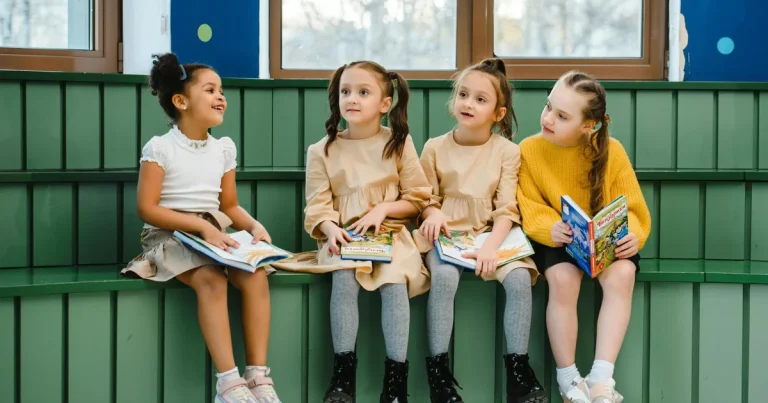
Photo: ignartonosbg via Pixabay